
Choosing a Hardware Wallet for Crypto Without the Security Guesswork
Choosing a hardware wallet for crypto should not feel like a security exam. A hardware wallet for crypto is a physical tool that keeps private keys away from the phone or computer you use each day. You still have to check what you buy, read each approval, and protect the recovery phrase. The core job is simple: the device signs an approved transaction without sending its private key to your computer.
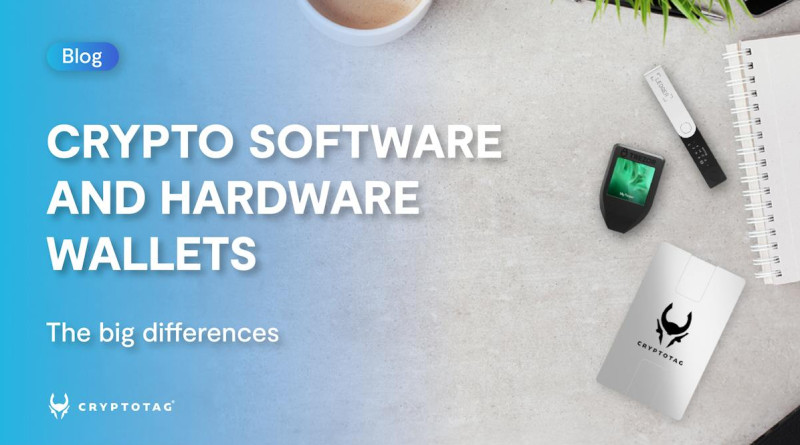
The first thing to clear up is what the device holds. Your coins stay on the blockchain. The device holds or helps derive the private keys that authorize moves. A wallet app can still show a balance because the public ledger lives on the blockchain. If a result calls it a hard wallet for crypto , that is usually rough wording for a hardware wallet. The useful details are still the chip, code, recovery flow, and transaction screen.
What a Hardware Wallet Stores
A crypto wallet is a tool for managing the keys used to access cryptocurrency. It does not store the coins themselves. A hardware wallet gives those keys a protected home inside a small physical device. The keys stay there while the device checks and signs transaction data.
The three main parts
- A secure chip generates, stores, or isolates private keys and keeps them apart from the connected phone or computer.
- A limited key-management system creates and uses keys in a restricted setting built for signing.
- A screen, buttons, or companion app shows account details and asks you to approve or reject a transaction.
The coins are not physically inside a hardware wallet. They remain on the blockchain.
A companion app prepares the transaction and may show balances or history. The hardware device handles the private-key part and returns signed transaction data. A PIN, password, or passphrase can lock access to the device. Some devices use a secure element, a security chip also found in items such as passports and credit cards, but not every model has one.
Self-Custody and Wallet Recovery
Self-custody means you control the private keys that provide access to your cryptocurrency. That control also makes you responsible for backups and recovery. A custodial wallet puts the keys under the control of an exchange or another provider. You give up some direct control and trust that provider to protect access.
There is no “Forgot Password” email that can restore a self-custodial wallet.
Recovery facts I would not skip
- Many BIP39 wallets use a recovery phrase with 12 or 24 words.
- The phrase can restore wallet keys if the original device is lost, damaged, or cannot be used.
- Anyone who gets the phrase may control the linked assets, so it must stay out of reach of unauthorized people.
- A hardware wallet does not remove the need to protect this recovery information.
This is one of the biggest mental shifts for new crypto users. The key may be safe inside the device while the backup phrase sits in an unsafe place. Treat the phrase as core wallet security. Know where it is, who can reach it, and how you will use it if your main device fails.
Software, Hot, and Cold Wallets
A software wallet runs as an app or program on a computer or phone. It is often free, easy to set up, and simple to use for everyday transfers. Many software wallets are hot wallets because they connect to the internet through a browser, phone, desktop, or online service. That convenience puts keys near malware, phishing pages, and compromised apps.
What changes between wallet types
- Software wallets run on a general computer or phone and are easy to reach.
- Hot wallets connect to online services and face more online attack risks.
- Cold wallets keep keys offline while they are stored and used for signing.
- Hardware wallets put signing inside a dedicated device with a chip and limited system.
- Self-custodial wallets leave key control with you, while custodial wallets place it with a provider.
When you search for a cryptocurrency cold wallet , ask whether the keys stay offline during signing. Cold wallets for cryptocurrency can also use paper or another offline setup, so they are not the same thing as dedicated cryptocurrency hardware wallets . Some product writing also calls an account cold only until it connects to a blockchain app. The real question is whether the private key can leave the signing device.
How Hardware Wallet Signing Works
A hardware wallet does not approve a transfer by itself. The phone or computer prepares the request, while the device checks the details and signs it with the private key. That split lets the hardware wallet for crypto keep the key inside its protected environment. The phone receives transaction data, not the key used to authorize it.
A typical signing flow
- Connect the hardware wallet by cable, Bluetooth, or another supported link.
- Create the transfer, swap, or approval in the wallet app.
- The app sends unsigned transaction data to the hardware device.
- The device shows the address, amount, network, and other stated conditions.
- You reject the request or confirm it on the device itself.
- The private key signs the transaction inside the device.
- The signed transaction returns to the app and goes to the blockchain for processing.
At no point in this process does the private key leave the hardware wallet.
The app may remain online, but that does not mean the key uploads. In normal use, unsigned and signed transaction data cross the connection. The private key is needed only when the device creates a valid signature. This is the main difference between a hardware wallet and an app that keeps its keys on an internet-connected device.
Why Offline Keys Do Not Stop Human Error
Offline keys lower one kind of risk, but they cannot tell whether your decision makes sense. A hardware wallet can sign a valid transfer to the wrong place. It can also approve a scam, a bad swap, or risky smart-contract terms. The device protects the key; you still own the choice.
What to check on the device
- Compare the full destination address with the address you intend to use.
- Check the amount and the network shown for the transfer.
- Read any contract permissions or other conditions attached to the request.
- Make sure the device gives you a clear way to reject the transaction.
- Do not approve a request because the app says it is safe or urgent.
A Trezor vs Ledger choice is not just a contest between two names. Check supported networks, screen quality, code review, key design, recovery, and update support. A model with more listed coins can still be a poor fit if its companion app cannot show every contract detail clearly.
Offline signing does not automatically make every transaction safe.
What to Check Before Choosing a Device
I use seven checks when comparing hardware wallets. No single feature tells the whole story. A secure chip matters, but it cannot replace clear approval screens, sound code, careful recovery, and a maker that keeps supporting the device.
Seven checks for a hardware wallet
- Security: check device confirmation, secure-element use, multisig support, key generation, and recovery options.
- Interface: look for readable transaction details, clear controls, safe PIN entry, and an obvious reject choice.
- Code: find out whether the code is open source or independently audited, and search for known weaknesses.
- Assets: confirm support for each exact coin, token, and blockchain you plan to use.
- Fit: check exchanges, wallet apps, decentralized apps, desktop systems, phones, and transaction types.
- Maker: review the company's record, customer feedback, security response, release history, and update support.
- Code checks: see whether researchers can compare the code running on the device with the maker's claimed code.
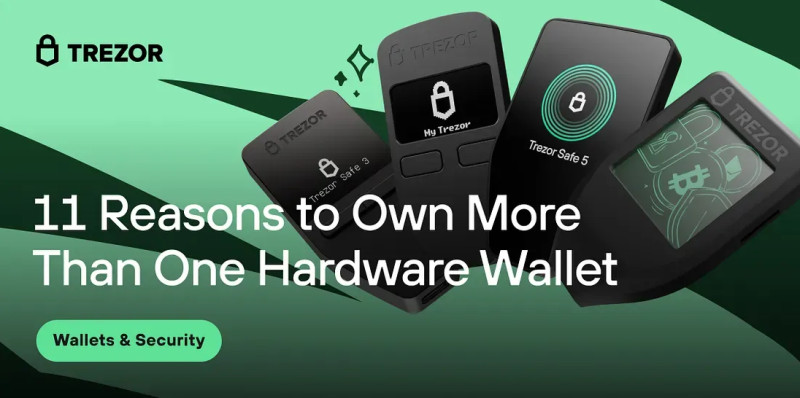
Search labels do not prove what a device can do. If a page uses Crypto.com cold wallet as a phrase, I would still check the maker, keys, code, updates, and recovery plan. A cryptocurrency wallet in Canada search also says nothing by itself about key safety. The material I studied names devices such as the Ledger Nano X, Ledger Flex, Trezor Model T, Trezor Safe 3, Safe 5, Safe 7, and Foundation Passport. None deserves a blind yes. A “multi-chain” label does not mean every token or app works on every model.
Security, Code, and Maker Track Record
The secure chip is only one part of the job. It may store keys, make them harder to pull out through physical access, and separate them from the connected computer. The surrounding system still handles approvals, updates, recovery, and outside connections. That wider system deserves the same care as the chip.
Security questions to ask
- Does the device create keys inside the secure chip, or bring them in from another device?
- Can the operating system export a private key to a phone, browser, or computer?
- Does the device ask you to confirm every signature on its own screen or controls?
- Can updates be checked and installed through a trusted process?
- Has the maker published known problems and supported warnings about them?
- Can outside researchers inspect how the signing system protects keys?
Open-source code lets people read how the system works. Closed code needs careful development and an outside audit. Reproducible code goes further: it gives researchers a way to compare the code on the device with the code the maker says it uses. The source material points to Wallet Scrutiny as one place for checking that kind of transparency.
A device with a dedicated security chip is not automatically secure.
Coins, Networks, and App Support
A hardware wallet can have strong key protection and still be wrong for your setup. You may need a coin it does not support. Its companion app may not work with your exchange. A token may live on a network the device cannot reach. That is why “supports many coins” is too broad by itself.
Check the exact setup
- List every coin, token, and blockchain you expect to hold or use.
- Confirm that the wallet interface supports each network and asset type.
- Check your exchange, decentralized app, and decentralized exchange connections.
- Confirm support for your phone, desktop system, and chosen connection method.
The material identifies Trezor Safe 3 and Safe 5 as Bitcoin-only models, while other named devices handle several networks. Treat that as a model fact to verify against the maker's support list, not a promise that every token will work. Check swap support, token contracts, account types, and app behavior too. A device can support a blockchain but fail to offer the transaction type you need.
One Hardware Wallet or a Backup Device?
One properly set hardware wallet can protect your assets. A second device may help with failure, access, or separation, but it is not always needed. The right number depends on what the wallet holds, how often you use it, and how well you can manage backups.
Common reasons for a second device
- Keep an emergency signer ready if the main device is lost, damaged, or stolen.
- Help a friend or family member learn self-custody on a separate device.
- Divide funds across devices so one loss does not affect every account.
- Keep long-term storage away from a device used for frequent trading.
- Carry a small travel wallet while the main storage device stays at home.
- Use a spare device for teaching, demos, or separate business funds.
A second device adds more work. You must track it, update it, and decide where it belongs. For one new self-custodian, a sound starting point is one primary device plus one backup restored from the same recovery information. That setup covers device failure. It does not fix a recovery phrase that has already been stolen or exposed.
Clones, Passphrases, and Multisig
A second device can hold the same wallet, create a separate wallet, or join a multisig setup. These choices solve different problems. Picking the wrong one can give you two copies of the same risk or a setup that nobody can restore.
Three multi-device models
- A same-wallet clone is restored from the same recovery phrase. It gives backup hardware but keeps the same signing authority.
- A passphrase wallet creates a separate set of accounts inside one physical device or alongside another device.
- Multisig uses separate keys on separate devices. Every listed signer must approve a transaction, so one device no longer acts alone.
My thought was it made sense not to put all my eggs in one basket.
Multisig can reduce reliance on one device and one backup location. Some setups keep signing devices in different places, while others require travel to retrieve one. That adds setup work and can slow access. A wrong multisig setup can also block access for good, so it is a poor first choice for a beginner who needs simple recovery.
Separate Wallets for Separate Jobs
Sometimes the best setup is not “one wallet for everything.” A Bitcoin-only device can keep one asset away from a mixed wallet. A trading device can stay active while a storage device sits quietly. A travel wallet can carry a small amount while your main hardware wallet stays home.
Ways people split wallet roles
- Use one device for Bitcoin and another for other cryptocurrencies.
- Use one device for active trading and another for long-term storage.
- Keep business funds apart from personal funds.
- Carry a limited travel wallet and leave the main storage device at home.
- Use a demo device for classes, meetups, and guest practice.
- Plan how a trusted person or executor will find devices and recovery details.
If you are asking how do you store cryptocurrency , the answer usually has layers. A software wallet may fit small amounts and frequent use. A hardware wallet can hold long-term balances. A second wallet or device can add backup or separation. Value, access, and your own setup skills matter more than one made-up dollar limit.
A Phone Can Act as a Signing Device
Cupcake is a free, open-source option that turns an unused phone into a dedicated signing device for Cake Wallet. It brings an offline-key model to people who may not want to buy a separate hardware unit. The trade is clear: its security depends on the phone's secure hardware, app setup, PIN, and update state.
How Cupcake separates signing
- On supported phones, private secrets can use the secure enclave, while app isolation blocks direct access by other apps.
- The Cupcake app blocks its own network access, so transaction data must move through animated QR codes.
- Cake Wallet sends unsigned data to the signing phone, and the phone returns signed transaction data.
- Only transaction data crosses the QR codes; the private key remains on the signing phone.
- Application signing helps stop a fake Cupcake app from replacing the real one.
Cupcake fits a clear need: someone already owns an unused phone and needs a separate signer. A Google Pixel or iPhone can provide a secure enclave, and GrapheneOS is an optional harder setup. The phone should still receive system updates. Updates can happen through a short online session or, on supported Android phones, through a manually transferred app file. Apple limits this side-load method in many places. Dedicated hardware usually has a smaller attack surface, but do not assume every model has no network link; some support wireless connections, so check the exact device.
Firmware, Software, and Phone Updates
Updates are part of wallet security, not a chore to push aside. Firmware can fix security holes. Companion apps can gain safer signing steps or clearer transaction details. An old phone system can weaken an otherwise sound signing setup. This matters for both dedicated hardware and phone-based signers.
A simple update routine
- Check the hardware wallet's firmware before signing a large or important transaction.
- Keep its companion app and supported operating system updated.
- Use the maker's signed update process and check the device model shown by the app.
- On a Cupcake phone, allow controlled system and app updates rather than leaving the phone unpatched.
- Review known security problems before buying, and check how the maker handles them.
Hey, do not skip transaction review just because the device has a good security record. Compare the destination, amount, network, and contract terms on the hardware screen or device controls. Reject anything that does not match what you meant to do. A cold wallet for crypto can still sign a valid but harmful request when its owner approves it.
Recovery Information Is Part of the Wallet
The device can fail. The recovery phrase can still save access. That makes recovery planning part of choosing and using a hardware wallet for crypto. Your backup should be usable when you need it and unavailable to anyone who should not control the funds.
Recovery checks
- Keep the recovery phrase offline and away from unauthorized people.
- Record where the phrase and any backup devices are stored.
- Do not share the phrase with a person who only wants to “check” the wallet.
- Know which device type and recovery process created the wallet before restoring it.
- For multisig, record every required key, device, and setup step in a tested recovery plan.
Inheritance needs the same care. A trusted family member or executor may need to know where the device and recovery details sit and how to use them. Some people give a trusted person a device, use a multi-share backup, or use multisig. Each choice has tradeoffs. More devices can spread risk, but more devices and recovery rules can also make a wallet harder to restore.
My Simple Selection Checklist
Here is how I would narrow the field without pretending there is a perfect answer. I would match the device to the wallet's real job. Then I would check the details that affect keys, approvals, updates, and recovery.
Before buying a hardware wallet
- Decide whether the wallet is for everyday use, long-term storage, trading, business, or gifts.
- List the exact coins, tokens, networks, exchanges, and apps you need.
- Check how keys are created, stored, and kept away from the connected device.
- Review open-source code, outside audits, known weaknesses, and the maker's response.
- Confirm that transaction details are clear and that rejection is easy.
- Check the maker's update record, security history, customer feedback, and support.
- Plan where the recovery phrase and any backup device will live.
- Choose one primary device first, then decide if a backup or second wallet has a clear job.
- Make transaction review and device updates part of your normal signing routine.











Comments on “Choosing a Hardware Wallet for Crypto Without the Security Guesswork”
No comments yet. Be the first to share your thoughts.