Compare the Best Cryptocurrency Wallet Apps for Security, Fees, and Ease
Choosing the best cryptocurrency wallet apps can feel harder than it should. One app may be easy to use but poor for long-term storage. Another may support many coins but charge more or put your keys at risk. The real question is simple: what do you need the wallet to do?
I start with the asset, network, and amount of money involved. Then I check control, fees, recovery, and day-to-day ease. The best crypto wallet apps are not best for everyone. Your job decides which mix works.
What a Cryptocurrency Wallet Controls
A wallet does not physically hold coins. It holds keys that let you control assets recorded on a blockchain. If a private key is lost and no valid backup exists, the linked cryptocurrency may be out of reach for good. That is why key care matters as much as app design.
Parts of a cryptocurrency wallet
- A public address is the receiving address you can share with a sender.
- A private key signs transactions and authorizes withdrawals.
- A recovery phrase is often 12 or 24 words that can restore wallet access.
- The blockchain records transactions and ownership tied to the keys.
A public address can be shared. A private key or recovery phrase must be kept secret.
Hot, Cold, Custodial, and Non-Custodial Wallets
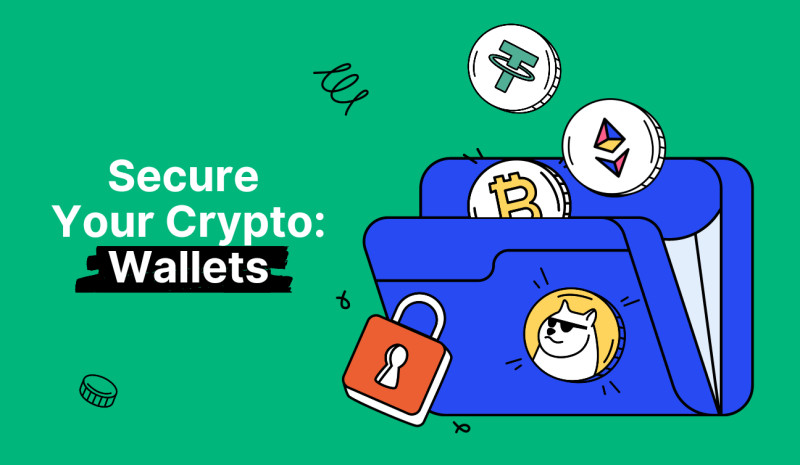
Two pairs of terms often get mixed up. Hot versus cold tells you how the wallet connects to the internet. Custodial versus non-custodial tells you who controls the keys. A wallet can be hot and non-custodial, cold and non-custodial, or online and custodial.
Common wallet types
- Custodial wallets store access with an exchange or other provider.
- Non-custodial wallets leave key control with the user.
- Hot wallets connect to the internet and suit frequent transactions.
- Cold wallets keep keys offline and suit larger, longer holdings.
- Paper wallets print a public address and private key for offline storage.
Not your keys, not your crypto.
A common setup uses a small hot wallet for daily activity and a cold, non-custodial wallet for long-term holdings. It gives you access without placing every coin on an internet-connected phone. You still need to balance each side and check every transfer.
How I Compare Wallet Apps
There is no single score that settles the wallet question. A simple wallet may win for one person and fail for another. I use the same set of questions each time I compare a cryptocurrency wallet app .
Questions to ask before choosing
- Will you use it for holding, trading, payments, swaps, or DeFi?
- Do you need full control of the keys?
- Which blockchains and token standards must it support?
- Do you need mobile, desktop, browser, or hardware access?
- Can it export a recovery phrase or connect to a hardware wallet?
- What backup and account recovery choices does it offer?
- What network, platform, trading, and hardware costs apply?
- What security incidents, audits, and update history can you review?
A secure crypto wallet app still depends on what you do after setup. A page may call a product an edge crypto wallet , but that label does not tell you who holds the keys. Check the setup, recovery rules, and fee structure yourself.
Which Wallet App Fits Which Job
The best cryptocurrency wallet apps fit different jobs. I would rather give you a short match than pretend one app wins every round. Start with where you will keep the money and how often you will move it.
Wallet matches by common need
- Simple mobile use: Trust Wallet fits first-time users and basic TRC-20 transfers.
- TRON power use: TronLink serves people who stake TRX or manage bandwidth and energy.
- Many networks: OKX Wallet supports TRON plus a broad set of other chains.
- Easy multichain use: the coinbase app wallet was later renamed Base App.
- EVM and DeFi use: MetaMask gives more control over networks, gas, and dApp connections.
- Large long-term holdings: a hardware wallet keeps keys away from an internet-connected device.
- Exchange convenience: a custodial account makes buying and selling easy but puts keys with the provider.
The best wallet is the one that matches your network, amount, and level of control.
Mobile Wallets and Android Apps
If you're asking, is there a wallet app for Android? Yes. Trust Wallet, MetaMask, ZenGo, and Coinbase Wallet were all listed with phone access. Just download each app from its verified store or official site.
A mobile cryptocurrency wallet is handy for balances, transfers, and trades away from a computer. Each crypto currency app may handle different networks and token standards, so check support before you move money.
Mobile wallet checks
- Use the provider's verified app store page or website.
- Check for biometric login, PIN protection, and two-factor authentication.
- Confirm that the recovery phrase belongs to you and can be exported if needed.
- Make sure the app supports the exact network and token you plan to use.
- Look for fee controls, network details, and clear transaction records.
Search results can include copycat wallet apps built to steal funds or recovery phrases.
USDT TRC-20 Wallet Apps
USDT can exist on TRON as a TRC-20 token and on other blockchains as ERC-20, BEP-20, or other versions. The balance may look the same while the network, fee, and transfer rules differ. Before sending, check the official USDT TRC-20 contract on TRONScan. The address listed for it is TR7NHqjeKQxGTCi8q8ZY4pL8otSzgjLj6t .
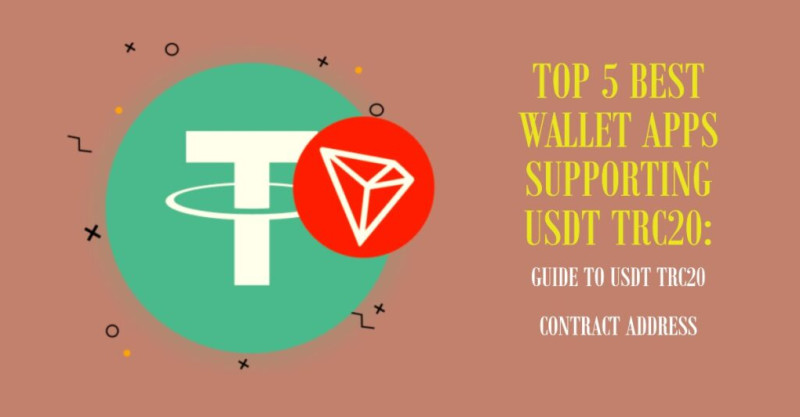
One wallet comparison gave TRC-20 transfers a rough cost of $0.50 to $1 and a wait of about one to three minutes. Ethereum ERC-20 transfers were put at about $2 to more than $20. Treat those as examples, not fixed prices. Fees change with network demand.
TRC-20 wallet app comparison
- Trust Wallet: native TRON support, a built-in DEX, broad chain support, and a simple mobile setup.
- TronLink: TRONScan links, TRX staking, bandwidth and energy tools, and strong TRON focus.
- OKX Wallet: more than 80 chains, a cross-chain bridge, a DEX aggregator, and Ledger support.
- Bybit Web3 Wallet: direct movement between its exchange and self-custody wallet, plus TRC-20 support.
- imToken: non-custodial control, audited contracts, broad chain support, and a strong security focus.
- Klever Wallet: TRON staking and KLV rewards, but it was not the cited pick for plain TRC-20 storage.
The same USDT balance can need a very different transfer path on each network.
Atomic needs a special warning. It was dropped from the cited picks after a reported June 2023 breach tied to more than $100 million in user losses. If you hold funds there, review the official notices and move meaningful balances only after you have tested recovery on a wallet you trust.
Network Fees Can Change the Best Wallet
The network you choose can matter as much as the app. TRON was presented as a lower-cost option for USDT than typical Ethereum transfers. But a wallet that supports several versions of a token does not make the networks equal in cost or speed.
Fees to compare
- Network fees pay miners or validators to process a blockchain transaction.
- Trading fees come from buying, selling, or swapping assets.
- Platform fees cover a provider's service or marketplace.
- Hardware costs include the price of a wallet device and its upkeep.
Free to download does not mean free to send.
Compare each fee on its own. A zero platform fee may still leave a network or exchange charge. MetaMask also gives controls over gas, where a lower setting can mean a slower transaction. Check the live fee in your wallet before signing, especially when the network is busy.
Base App and MetaMask Compared
Coinbase Wallet began as a free, non-custodial hot wallet tied to the Coinbase exchange. In 2025, it was renamed Base App. MetaMask began as an Ethereum browser wallet and still centers on Ethereum and similar networks. Both can reach DeFi apps, but they put weight on different jobs.
Base App and MetaMask at a glance
- Base App supports Bitcoin, Ethereum, Solana, Dogecoin, EVM networks, and other listed chains.
- MetaMask focuses on Ethereum and EVM networks, with Snaps for added reach.
- Base App offers a simpler mobile and browser setup for new users.
- MetaMask offers more network, gas, and dApp settings.
- Base App links directly to a Coinbase exchange account.
- MetaMask connects to hardware wallets such as Ledger and Trezor.
- Base App lists passkeys and cloud backup; MetaMask uses a recovery phrase, password, and mobile biometrics.
Match the wallet to the chain you use, not the chain you hope to use one day.
Neither app supports every coin or network. Cloud backup can also raise questions about what the provider can access. Read the recovery terms, test a small transfer, and use a hardware wallet for large holdings when that fits your setup.
Wallets for Solana, Tezos, Ronin, and MPC
A broad wallet may still miss the network or game you use. In that case, a focused app can make more sense. These wallets do not try to cover every chain, but each has a clear home.
Wallets with a narrow focus
- Phantom stores Solana keys on your device and includes a decentralized exchange.
- Temple supports Tezos accounts and tokens but does not cover other main chains.
- Ronin serves the Ronin sidechain and games such as Axie Infinity.
- ZenGo uses multi-party computation so one normal private key is not the only failure point.
- MEWconnect keeps keys in an isolated vault on a mobile device for use with MyEtherWallet.
WalletConnect is not a storage wallet. It is a connection tool that links wallet apps to decentralized apps through a QR code or link. Everyday-use apps such as Zypto add swaps, cash on-ramps, bill payments, gift cards, phone top-ups, and a cold-storage card. Those tools can help, but each added service also adds another thing to check.
Exchange Apps and Wallet Apps Do Different Jobs
Coinbase, Gemini, Kraken, Binance, and eToro can help someone buy, sell, trade, or track crypto. Their accounts are usually custodial, which means the provider controls access. A self-custody wallet gives you more control, but you must protect the keys and recovery phrase.
Exchange app questions
- Does the provider hold the keys?
- Which assets and networks can you withdraw?
- What withdrawal, trading, and platform fees apply?
- Does the account support two-factor authentication?
- Can you move assets to a self-custody wallet?
A P2P crypto marketplace is not the same thing as a wallet.
Exodus was listed as a desktop wallet. If your question is buy crypto on Exodus , check the verified app and provider flow first. A third-party buy button may use another company, and its custody and fees may differ from the wallet itself.
Hardware Wallets and Cold Storage
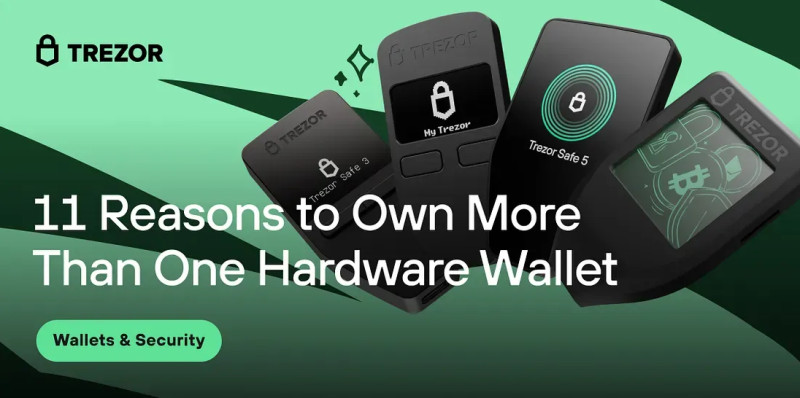
A hardware wallet keeps private keys offline and connects to a phone or computer only when you sign a transaction. That makes it a better fit for large, long-term holdings than a phone-only wallet. You give up some speed and pay an upfront cost, but less money sits exposed online.
Hardware choices named in the materials
- Trezor Model T offers offline key storage, a touchscreen, Shamir Backup, and broad app support.
- Ledger Nano X is a Bluetooth device made for mobile use with Ledger Live.
- Ledger Nano S is a lower-cost Ledger device with app-based transaction handling.
- Tangem provides hardware wallets and non-custodial software tools.
- Other named devices include NGRAVE ZERO, KeepKey, ELLIPAL Titan, and BitBox02.
A hardware wallet moves keys offline; it does not remove the risk of physical loss.
Paper wallets also keep keys offline, but fire, water, theft, and damage can erase them. Test recovery and keep backups in separate safe places. A top crypto wallet for daily trades may be poor for long-term savings, so many people use both a hot wallet and cold storage.
Recovery Phrase and Private Key Safety
You can follow every app guide and still lose access through one weak habit. The recovery phrase is the master secret. Anyone who gets it may control the linked cryptocurrency. Raw private keys matter too, but most app users should let the wallet manage them.
Wallet security checklist
- Write every recovery word exactly and in the right order.
- Keep two paper backups in separate, secure places.
- Use metal or another durable medium when fire or water is a risk.
- Test the restore process before you depend on it after device loss.
- Use a unique password for each wallet, exchange, email, and password manager.
- Enable two-factor authentication, with an authenticator app preferred over SMS when offered.
- Update the phone, computer, browser, wallet, and device firmware.
- Avoid public Wi-Fi, fake sites, and wallet apps from unknown search results.
- Check the full address, token standard, contract, and network before signing.
- Send a small test amount to a new address before making a larger transfer.
No real wallet provider or support agent should ask for your recovery phrase.
A secure crypto wallet app cannot protect you from a shared password, a fake site, or carelessly approved dApp. Slow down when a message asks you to enter a secret or sign an unfamiliar contract.
A Safe Setup for a TRC-20 Wallet
Set up a wallet slowly, especially if you plan to hold real value. The steps below use TRC-20 as an example, but the same care applies to other networks. Download first, save the recovery phrase, and only then add funds.
Wallet setup steps
- Download the app from the official store or verified provider site.
- Create a new wallet and write down its 12- or 24-word recovery phrase.
- Keep the phrase on paper or another offline medium, not in email, chat, or a cloud note.
- Add TRON or TRX in the wallet if you plan to use USDT on TRON.
- Keep a small TRX balance for network bandwidth, energy, or fees.
- Search for USDT and select the TRC-20 version, not ERC-20 or BEP-20.
- Check the official contract address on TRONScan.
- Confirm that the receiving address and selected network match.
- Send a small test amount before sending more.
- Enable two-factor authentication on any linked exchange account.
One wrong network can send your crypto somewhere you cannot control.
Do not rush because a buyer, support agent, or chat message is waiting. Check the address twice, review the fee, and make the test transfer first. A ten-minute pause can stop a costly mistake.
Choosing One Wallet or a Split Setup
The best cryptocurrency wallet apps depend on your exact mix of holding, trading, and payments. I like a split setup because it puts only the amount needed for daily work online. The rest can sit in cold storage.
Simple ways to match a wallet to a need
- For basic mobile transfers, compare Trust Wallet with a simple custodial exchange account.
- For frequent TRON use, compare Trust Wallet and TronLink.
- For many networks and swaps, compare OKX Wallet, Base App, and MetaMask.
- For Solana, Tezos, or Ronin, use a wallet built for that network when needed.
- For large long-term holdings, use a tested hardware-wallet setup.
- For shared funds, use a clear multisig plan with known signers.
Keep the online balance limited to what you can replace if the phone fails. Put larger long-term holdings in a hardware wallet, and test both restore paths. This setup takes more work than one app, but it gives you clear control over both access and online exposure.
Multisig Wallets for Shared Control
A multisignature wallet needs more than one person to approve a transaction. A 3-of-6 wallet has six signers, but three must approve each send. That can stop one stolen device or lost key from giving an attacker instant control.
What multisig can add
- Approval rules for every transaction
- Shared control over organizational funds
- Separation of duties among signers
- A higher barrier to one compromised key
Multisig does not remove the need for careful backups. Record who holds each key, where each backup lives, and how the group will recover access. For shared money, the recovery plan is as important as the wallet itself.

Comments on “Compare the Best Cryptocurrency Wallet Apps for Security, Fees, and Ease”
No comments yet. Be the first to share your thoughts.