What Free Crypto Mining Apps Are
Let's talk about the best crypto mining app for regular folks. But before picking one, you need to understand what these free apps actually do. They let you earn tiny amounts of crypto without buying dedicated hardware. You lend your phone's processing power or use a third-party cloud service to perform mining tasks. Earnings are modest - often taking weeks or months to become noticeable. It's a plain way to learn what mining crypto really means before spending real money.
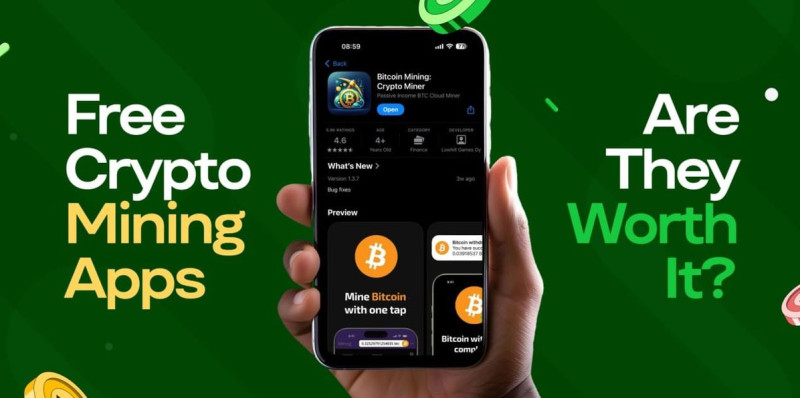
Most of these crypto mining apps are better for learning than generating income. They rely on cloud-based processing or lightweight mobile mining. They're a fine starting point if you accept the slow pace. Don't quit your day job over a few cents per day. Your phone's chip isn't built for heavy hash work, and the network is too large for a small device to make a dent.
Free Apps I Found for Android and iPhone
There are plenty of free tools out there. Some are simple one-click miners. Others use cloud power so your phone doesn't heat up. I reviewed ten common ones and pulled the ones that stood out for ease of use. None will make you rich, but they show how mining works at a small scale. You'll find them on Google Play or the App Store without trouble.
Popular free mining apps
- Bitcoin Miner – Crypto Miner: perfect for beginners, mine small BTC without special gear, earn extra via tasks and referrals.
- StormGain: cloud-based mining, actual work runs on remote servers, phone stays cool, trade crypto inside app.
- MinerGate Mobile Miner: multiple-coin support like BTC, Monero, ETH, has built-in wallet and calculator.
- CryptoTab Browser: mine while you surf, light on device, works on phone and computer.
- Pi Network: earn by verifying transactions, low-power model, early-stage token with growing ecosystem.
- Electroneum App: energy-efficient cloud mining, built-in wallet for mined ETN.
- Sweatcoin: get paid for walking, fun non-technical way to earn SWEAT.
- DogeMiner: light-hearted Dogecoin mining, good for newcomers on mobile.
If you're on iPhone, some of these work too. iPhone crypto mining is possible with apps like CryptoTab and StormGain on the App Store. Just don't expect big payouts. Your phone's chip isn't built for heavy hash work, and battery drain is a real annoyance. AA Miner is another simple tap-to-mine app for BTC, Litecoin, and Dash, designed for a straightforward start.
Pi Network deserves a note. It lets you accumulate coins without heavy processing, using a consensus-based verification model. The token trades on Busha against USDT and Kenyan Shillings. Open the Busha app, deposit those stablecoins, and buy Pi in a few taps. It's a low-power way into crypto, but value depends on network growth.
Why the Payouts Stay Tiny
Most free apps pay a few cents per day. It can take months to accumulate anything meaningful. That's the truth. Be clear: this is not a job replacement. The global Bitcoin network hashrate is huge, so a phone's share is a drop in the lake. Even running an app all day, the math doesn't favor you.
Free crypto mining apps are an entertaining entry point for newcomers - but not a viable income source.
Battery drain and device strain are real. Mining uses CPU and GPU cycles, causing faster battery wear and possible overheating. Security risks exist too. Some apps request unnecessary permissions or hide malware. Stick to well-reviewed apps from reputable sources like Google Play or App Store. Watch for scams: the marketplace is saturated with fake mining tools designed to harvest data or money. Verify the developer's reputation before downloading. I'd rather you stay safe than chase pennies.
Cloud Mining Platforms That Have History
Cloud mining means renting power from a data center. You skip the noise and heat at home. Several platforms have years of history, which builds trust. Hashing24 launched in 2012, NiceHash in 2014. ECOS began in 2017 in Armenia's free economic zone. Binance Cloud Mining opened in 2023 inside the Binance exchange. These dates matter: a long track record helps you avoid fly-by-night scams.
Cloud platforms worth a look
- ECOS: all-in-one app with cloud contract, custodial wallet, dashboard; contracts from ~$150, daily BTC payouts after fees.
- Hashing24: BTC-only open-ended contracts, min from $20, low maintenance cost, no forced end.
- BeMine: buy whole or fractional ASIC rigs hosted in partner centers, hosting fee 5-7% of revenue.
- NiceHash: marketplace to rent hash power by the hour, founded 2014, supports many coins.
- Binance Cloud Mining: short fixed-term BTC contracts for exchange users, daily settlements to spot wallet.
When you pick the best crypto mining app for cloud use, check the company's history. Look for at least three years of verifiable hash-rate data. Fee transparency is key: contract docs must itemize electricity, maintenance, and pool fees separately. Withdrawal rules should be clear, with known minimums and supported wallets. ECOS contracts run 12–50 months with daily payouts that include electricity at about $0.05–0.07 per TH per day. Hashing24 has minimum contracts from $20 and daily maintenance near $0.0028 per GH/s. BeMine shows each rig's model and hash rate. NiceHash charges about 3% per order, while Binance builds a 15–25% margin into contract pricing.
Also consider crypto mining companies in the USA if you want local hosting. Some US sites offer reliable grid and strong legal protection. But power cost may be higher. Always match the platform to your constraints. I suggest reading user reports and checking corporate registration before sending a cent.
OneMiners App and Its Hosting
OneMiners offers a full app to control mining from your phone. It works with their data centers in Nigeria and the United States. You buy hash power and the app shows real-time stats. They claim zero fees and AI tuning. I like monitoring from anywhere without a loud rig in my closet. The app downloads from Google Play or App Store and connects to their hosting.
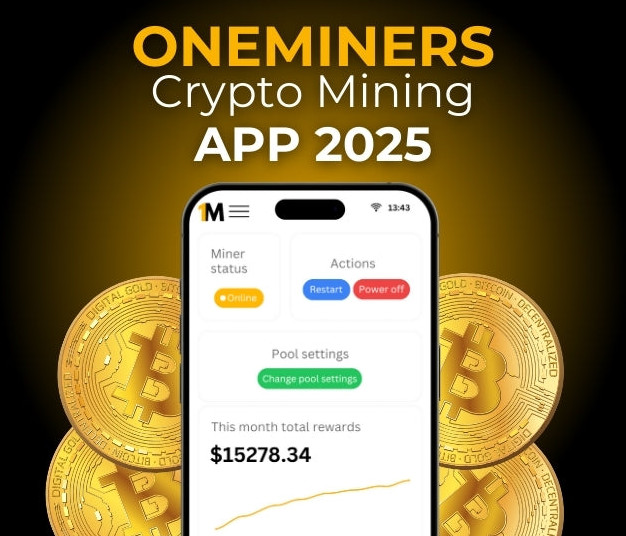
The ASIC crypto miner hardware is hosted for you. Nigeria sites use solar farms at low cost, about $0.04 per kWh, with 99% uptime backed by redundant UPS and generators. US sites in South Carolina have reliable grid at $0.05 per kWh and high-speed fiber, with sub-2% outage rates. Both give remote management through the app. This is a hands-off way to mine that avoids personal electric bills and cooling fans.
OneMiners key features
- Real-time monitoring of hashrate, earnings, temperature from phone.
- AI smart mining adjusts power and frequency for better output.
- Cloud mining built in, no personal rig needed, rent from data centers.
- Multi-currency support: BTC and selection of altcoins in one app.
- Custom alerts for performance spikes, downtime, or payouts.
- Seven-year warranty on ASIC hardware bought through them.
- 99% uptime SLA with power and network redundancy.
You can choose Nigeria for budget or South Carolina for high reliability. The app lets you configure pool details or auto-detect the best pool. Then it runs 24/7. For someone wanting the best crypto mining app with less fuss, this service ticks boxes. They also offer 24/7 chat support and learning resources inside the app. I find that helpful for newcomers who don't want thick manuals.
Desktop and Mobile Mining Software
If you want to run your own hardware, there's best crypto mining software for PCs and laptops. Some use idle CPU or GPU. Cudo Miner auto-switches to the most profitable coin and takes a cut from profits. Kryptex and Awesome Miner do similar jobs. Awesome Miner supports 100+ coins on Windows and Linux, not macOS. This software gives direct control over your machine's work.

For those with graphics cards, the best mining GPUs matter, but software like BFGMiner and MultiMiner helps manage them. BFGMiner is modular with plugins and temp monitoring, yet steep to learn. MultiMiner is simpler with auto-detected hardware and remote rig access. Both draw more power - watch your electric bill. I'd test on an old PC before buying new cards. ShaMiner offers access to real ASIC rigs via cloud contracts, though its $500 minimum is steep for testing.
Software options for self-mining
- StormGain: cloud based, simple UI, trade inside same app, tiny rewards.
- ShaMiner: real ASIC rigs via cloud, real-time stats, $500 min may be steep.
- Cudo Miner: uses idle CPU/GPU, auto profit switch, pays from profits.
- ECOS: built-in wallet and exchange, daily payout estimates, custom lengths.
- Kryptex: leverages idle PC, auto selects coin, works with ASICs.
- Awesome Miner: profit-switch algorithm, 100+ coins, Windows/Linux only.
- BFGMiner: modular, advanced temp monitor, multi-platform, not beginner friendly.
- MultiMiner: simple interface, remote access, suitable for novices.
- CoinFly: OS-level solution, connects multiple pools, free to try.
- NiceHash: simple setup, earnings calculator, free basic service.
- CruxPool: easy sign-up, real-time stats, several currency pools.
- HashCity: no pool fees, only 1% mining fee, one-click start.
- CryptoTab Browser: mine while surfing, referral program, high power use.
- Bitfly: supports six coins, 1% pool fee, mobile apps, no direct BTC mine.
That's a long list, but it shows the range. Some are crypto mining apps on phone, others desktop tools. Pick based on your device and how much you want to tinker. CryptoTab Browser lets you grow a team for extra income, while Bitfly supports ERC20 and ETH but not BTC directly. Read the cons: most increase electricity use and lack auto-profit switching.
Build a Small Miner with Raspberry Pi
You can learn a lot building a tiny miner. A Raspberry Pi 4 can mine Monero via CPU. It's a fun educational project. Low cost makes it among cheap crypto miners for learning. But it won't earn much. The Pi 4 with 4GB RAM gets about 99 H/s on Monero - tiny next to industrial rigs. A Pi 3 does 20 H/s, a Jetson Nano 62 H/s with GPU disabled.
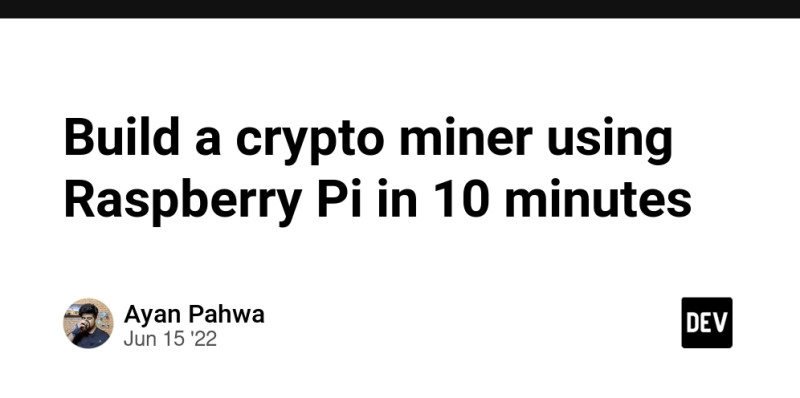
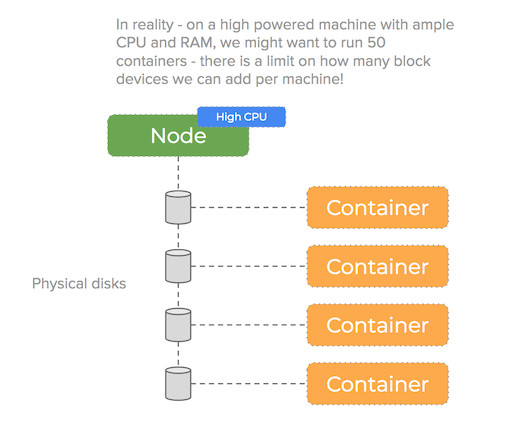
The project uses balenaCloud and xmrig software. You need a Pi 4, SD card, power supply, and internet. Flash the OS, add WiFi creds, set your Monero wallet address as a device variable, join a pool. The container restarts and begins submitting work. You'll see hashrate in logs. This shows how a crypto miner works in a real network without spending hundreds. The Docker setup splits build and run stages to keep the image small and safe.
Hardware needed for Pi miner
- Raspberry Pi 4 (1GB or 4GB RAM recommended).
- Compatible SD card of at least 16GB.
- Power supply rated 5V / 3A.
- Internet connection via Wi-Fi or Ethernet.
Profitable? Probably not after power costs. But as an educational exercise in IoT and blockchain, it's solid. Adding multiple Pis in a pool can push earnings to a tangible range, yet factor electric draw. I'd call it a hobby, not a business. The Monero algorithm is CPU-friendly, encouraging regular people to take part.
Solo Mining vs Pool Mining
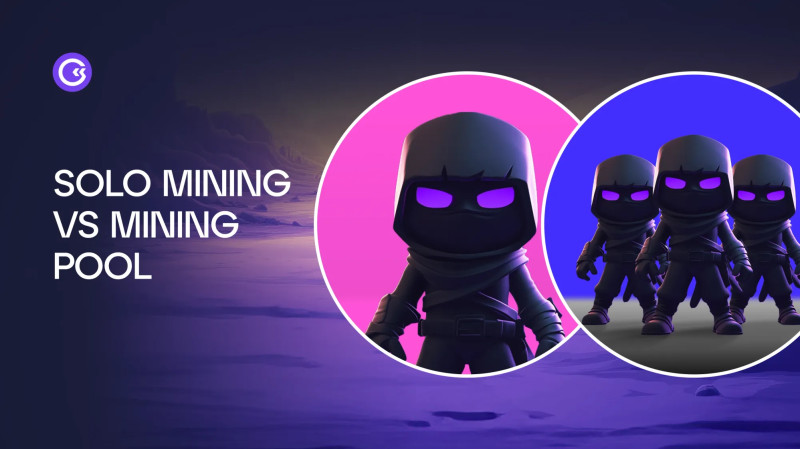
Mining alone, you keep 100% of block rewards but odds are slim unless you own a farm. Pool mining joins forces for frequent small payouts. Most folks start with a pool. The choice hinges on risk appetite and capital. Solo Bitcoin mining means running your own full node and solving blocks independently. Pool mining means combining hash power and splitting rewards by contribution.
Solo mining pros and cons
- Pros: no pool fees, supports decentralization, full control of config.
- Cons: extremely low odds, payouts months apart, needs big hardware.
Pool mining pros and cons
- Pros: frequent payouts usually daily, low entry barrier, shared burden.
- Cons: 1-2% pool fees, centralization risk, rely on pool uptime.
Some services blend both - team-based arenas where you solo-mine within a group. Digital miners tokenize hash power on blockchain, letting you trade or lease. Miner wars add a game layer where clans compete for rewards. Either way, understand what mining crypto means before jumping in. The best crypto mining app for you may be a pool tool like NiceHash or F2Pool app. Choose based on steady small pays or a long shot at a full block.
How Crypto Mining Companies Operate
It helps to know the back end. Most companies place thousands of ASICs in data centers near cheap electricity. They connect hash power to a mining pool that aggregates contributions. The pool pays each contract holder proportional to hash rate, minus fees. Users get daily or scheduled BTC transfers to wallets. That's how cloud platforms function without you owning a machine.
Steps mining companies follow
- Install ASICs in data centers close to low-cost power.
- Connect to a pool like F2Pool or AntPool to merge hash power.
- Distribute rewards by contributed hash rate after fees.
- Settle payouts to user wallets on a daily or set schedule.
The global Bitcoin network hashrate is large, making solo mining practically impossible without industrial-scale hardware. That's why firms bundle rigs and sell contracts. When you review the best crypto mining app , check if it reveals real data-center locations and hash-rate proofs. I always look for that transparency first.
Cloud vs Hardware Mining
You can mine via cloud or buy your own rig. Both have trade-offs. Cloud needs no setup but carries counterparty risk. Hardware gives control but demands space, cooling, repairs. Your power rate and technical skill decide the better path.
Cloud versus hardware factors
- Upfront cost: cloud contracts from $20, ASIC rigs from $3,000.
- Operational work: cloud none, hardware needs setup and repairs.
- Electricity: cloud bundled in fee, hardware paid to utility.
- Exit liquidity: cloud sells contract if allowed, hardware resold on market.
- Counterparty risk: cloud high, hardware low since you own gear.
If you lean cloud, the best crypto mining app might be OneMiners or ECOS. If you like hands-on, ASIC crypto miner units from a trusted seller plus a monitoring tool like Awesome Miner is the route. I want you to see the full picture before spending.
Risks You Should Not Ignore
Mining has real dangers. Scam platforms fake hardware. Difficulty rises every two weeks, cutting earnings. Price swings can erase months of profit. Fees can creep above daily rewards. Tax may apply to mined coins in most places. Go in with eyes open.
Many cloud platforms have no real hardware. Verify data-center locations, hash-rate proofs, and corporate registration.
Also watch for crypto mining companies in the USA that may face local rules. Always check regulatory status before sending money. Hardware costs are another risk: even a modest rig costs thousands. Security threats like malware and phishing are common. I say this not to scare you, but because skipping checks costs real money. A 30% drop in BTC price can wipe months of mined profit - size your bets small.
Key risk points to remember
- Low earnings: most free apps pay pennies per day, scale needed for profit.
- Battery and heat: continuous CPU use drains and overheats devices.
- Security: malware, excess permissions, phishing sites are common.
- Scams: many fake free apps exist, verify developer credibility.
- Regulatory: rewards may be taxable, consult local laws.
- Fee creep: maintenance can exceed daily rewards as difficulty climbs.
Hardware Wallets to Store Coins
Keeping mined BTC safe offline is smart. Ledger Nano X, Trezor One, and Coldcard Mk3 are common picks. They store seed phrases and resist remote attacks. I'd use one if I held serious amounts. All three provide seed backup and resist remote hacks. Don't leave large sums on an exchange or phone app.
Wallet options
- Ledger Nano X: Bluetooth enabled, supports 1000+ assets.
- Trezor One: simple UI, open-source firmware.
- Coldcard Mk3: Bitcoin-focused, excellent security, good for multisig.
A hardware wallet is a plain step to protect what you mine. Not glamorous, but it matters. Write your seed on paper, keep it away from screens. That habit has saved many from lost funds.
Exchanges and Loans for Miners
Some skip mining hassle and buy crypto on Busha. Zero-fee trades, easy mobile UI. Pi token trades there against USDT and Kenyan Shillings. Fast way in without waiting for payouts. Open app, deposit stablecoins, buy in a few taps. Busha also offers regulated custody and learning resources.
If you already mine and need cash, CoinRabbit loans let you use BTC as collateral. Borrow stablecoins without selling - avoids tax events. Funds arrive quick, often under 10 minutes. They keep collateral in cold multisig wallets, which I find reassuring. Large miners can join a private program with lower rates near 1.25% APR. Loan steps: pick asset, set amount, review terms, deposit crypto, receive funds.

Finding the Best Crypto Mining App for Your Needs
So how do you pick the best crypto mining app ? First, know your goal. Learning? Free phone apps are fine. Scale? Cloud or hosted ASICs make sense. Check fee transparency, withdrawal rules, company history. Use profit calculators before committing capital. I always run the numbers on a pool calculator before touching my wallet.
Think about most profitable crypto to mine right now. BTC needs big rigs; Monero runs on CPU. The best crypto mining app for one person might be a simple Pi project; for another, a full OneMiners control panel. I can't give you the single answer - only guide you to weigh constraints. Cheap power and patience beat fancy tools.
The decision between solo mining and pool mining hinges on risk appetite, capital, and technical expertise.
At the end of the day, the best crypto mining app is the one that fits your limits. No app makes you rich overnight. Stay safe, read reviews, keep learning. That's my plain advice as one regular person who read the docs and passed it on. Start small, stay curious, and you'll avoid the worst traps in this space.






Comments on “How to Pick the Best Crypto Mining App for Your Constraints”
No comments yet. Be the first to share your thoughts.