
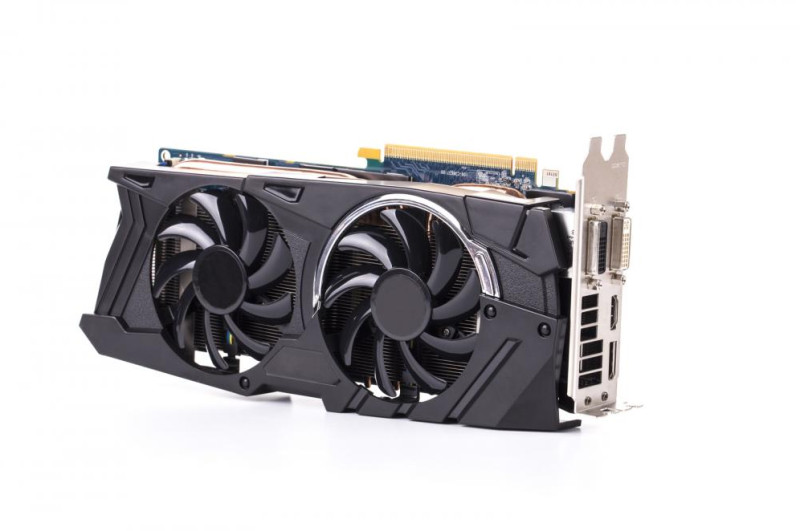
Finding the Best Mining GPUs Without the Speed Trap
When cards are scarce, the best mining GPUs may simply be the one you can actually buy. But when choice exists, the real lever is balance. You want a card that hashes well, doesn't suck watts, and doesn't empty your wallet. The bottleneck isn't raw speed - it's the mix of hashrate, power draw, and price.
Many people ask me what mining cryptocurrency actually means . It’s just running math to secure a coin. Your GPU does that math. To find the best mining GPUs, you weigh how fast they hash against how much juice they need.

The Three Numbers That Matter When Picking Mining Cards
I always check three constraints before buying. First: hashrate (speed) - how many coins per day. Second: power draw - what it costs you every hour on the meter. Third: acquisition cost - the sticker price.
What to weigh
- Hashrate (speed) - more means more coin per day
- Power draw - lower keeps electric cost down
- Acquisition cost - the tag price you pay at store
- Resale value - some cards hold value later
Balancing these is what separates a good mining GPU from a great one. A card with high hash but hungry power can earn less after bills. That's why I look at the full picture, not just the top benchmark.
The Math Behind Picking a Card
You can calculate ROI with a basic formula: GPU price divided by daily profit minus electricity cost. That's your payback clock. Lower ROI is better, but profit shifts daily as coin value moves.
Another metric: price per MH/s. GPU price divided by hashrate on your mined algorithm. It compares cards without mixing coins. Don't trust the line item on electric cost alone - include network fees and tax. If Bob's invoice for 3,000 kWh is $320, his true cost is $0.106 per kWh, not the $0.06 shown.
ROI = GPU price ÷ (Daily profit – Electricity cost)
Price per MH/s = GPU price ÷ Hashrate on the chosen algorithm
Top Picks From Past GPU Rankings
In a past review, cards ranked from highest raw power to best balance. The RTX 3090 led on hash - 120 MH/s on DaggerHashimoto at 285 W - but its price is steep. The AMD Radeon VII pulled 80 MH/s at 190 W. The RTX 3080 did ~98 MH/s at 220 W.
Cards from that review
- RTX 3090 - 285 W, 120 MH/s, high price
- AMD Radeon VII - 190 W, 80 MH/s, good 4K gaming
- RTX 3080 - 220 W, 98 MH/s, strong for games
- RTX 3070 - 130 W, 60 MH/s, solid mix
- RTX 3060 Ti - 130 W, 60 MH/s, best payback due to price
I like the RTX 3060 Ti here. It hashes about the same as the 3070 but draws less power and costs less - so it pays back faster. That's the kind of card I'd call among the best mining GPUs for most people.
Good Cards for Both Gaming and Mining
Some want a PC they can game on and mine when idle. In earlier budget tests, the AMD RX 580 8GB won the low-cost spot under 200 euros. It earned ~0.50 euro/day mining Ethereum at 120 W, and ran 1440p games at decent frames.
For medium budget, the RX 5700 XT 8GB earned more per day than the RTX 2060 Super, but the Nvidia card mined five algorithms while AMD stuck to one. For high budget, Radeon VII mined better, but RTX 2080 Ti gave more FPS. It depends on what you value.
Budget picks for play and mine
- RX 580 8GB - low price, okay hash, fine gaming
- RX 5700 XT 8GB - more daily profit, one algorithm
- RTX 2060 Super - flexibly mines many algorithms
- RTX 2080 Ti - top gaming, multiple algorithms
If you're one of those thrifty crypto miners looking for a used card, the RX 580 is a common start. Just confirm it still mines your target coin.
AMD vs NVIDIA: The Mining Tradeoff
NVIDIA cards are more versatile - they mine Ethereum, Ravencoin, Ergo, Conflux, among others. AMD shines on KAWPOW and DaggerHashimoto with strong hash. If your coin favors AMD, lower purchase price can offset higher power draw.
NVIDIA gives broader support when new coins appear. But AMD stays competitive on specific jobs. I lean Nvidia for flexibility, yet I get why some prefer team red for a targeted coin.
Brand traits
- NVIDIA - many algorithms, good resale on RTX 30 series
- AMD - strong on KAWPOW and DaggerHashimoto
- NVIDIA RTX 3090 draws ~285 W, Radeon VII ~190 W
- Newer Nvidia cards keep value better used
The most profitable coin to mine may favor one brand on a given day - keep that in mind.
When Electricity Is Free (or Cheap)
If your power is free - solar, or a dorm that doesn't bill you - the math flips. You can run a hungry card like the RTX 3090 and max raw hash without worry. Raw performance beats low draw.
For most with a normal bill, cost per kWh decides much. In low-price examples, the RX 570 8GB had fastest payback. Once price rose past a small threshold, Radeon VII won on ROI. Always plug your own rate into the formula.
Free power means you can afford the hungriest card and just chase hash.
New vs Used GPU Choices
New gens like RTX 3000 and RX 6000 hold gaming value for years, aiding resale. If you only mine and never sell, older cheap boards like RX 5000 or RTX 2000 may pay back fastest. I'd avoid oldest GTX 1000 and RX 500 for Ethereum - their hash decays as data size grows.
A used card works for years if kept cool. Keep temp under 70°C, dust clean, fans ~60%. Known history beats a blind new buy. Some makers hide temp logs, so a documented used card is safer.
New versus used tips
- New RTX 30 series holds resale value
- Old RX 5000 or RTX 2000 for fast mining payback
- Used card: keep under 70 C, clean, fans ~60%
- Avoid GTX 1000 for Ethereum as hash decays
You also need the right crypto mining software to run either card properly.
GPUs vs ASIC Miners
Graphics cards flex across algorithms, but for pure Bitcoin, an ASIC miner wins on power per hash. ASICs are built for one job, using less watt per hash - so they profit more on Bitcoin.
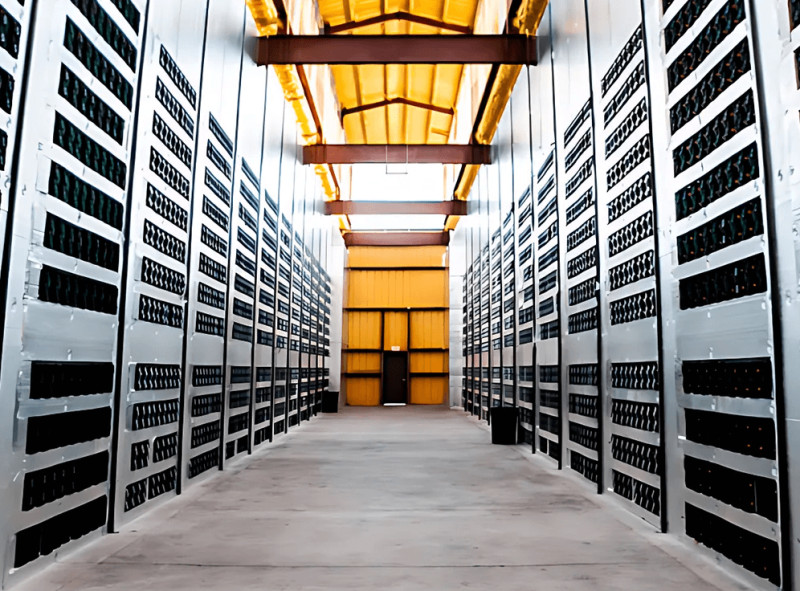
Big US crypto mining companies run ASIC fleets with custom cooling and monitoring. They swap chips every year or so to stay competitive. For home users, GPUs still make sense if you want to game or mine alt coins.
ASIC vs GPU
- GPU - flexible, many algorithms, good for alt coins
- ASIC - higher hash, less power per hash, Bitcoin focus
- ASIC markets move fast, new chips every 12-18 months
- Home miners often start with GPUs for low cost
To grasp how a crypto miner works , think of a GPU as a general laborer and ASIC as a specialized tool.
Useful Work Mining: A Look
Some new coins reward useful math. Pearl (PRL) is one: miners run matrix multiplication like AI training instead of empty hashing. Only Nvidia GPUs are officially supported. A rush of cloud-card miners dropped per-card pay fast.
It trades on small exchanges and resists ASICs due to memory needs. Unlike Ethereum, no growing data file - older GPUs stay useful longer. This shows GPUs serve beyond plain hash coins.

Pearl shows a trend where useful work gets rewarded, not wasted cycles.
Some folks try mining crypto on an iPhone or apps that mine cryptocurrency , but those phones lack the muscle for real pay on such jobs.
What a GPU Actually Does
A GPU handles massive parallel tasks a CPU can't. It renders images and does general compute like mining. The CPU directs; the GPU crunches numbers. That's why it fits proof-of-work coins.
GPU basics
- Integrated - shared memory, weak for mine
- Discrete - standalone card, own memory, strong
- External - box via Thunderbolt for laptops
- Clock, memory bandwidth, architecture affect speed
For mining, you want a discrete card with good memory and low power need. The best mining app on a phone is still no match for a real card.
What Miners Argued About in the Comments
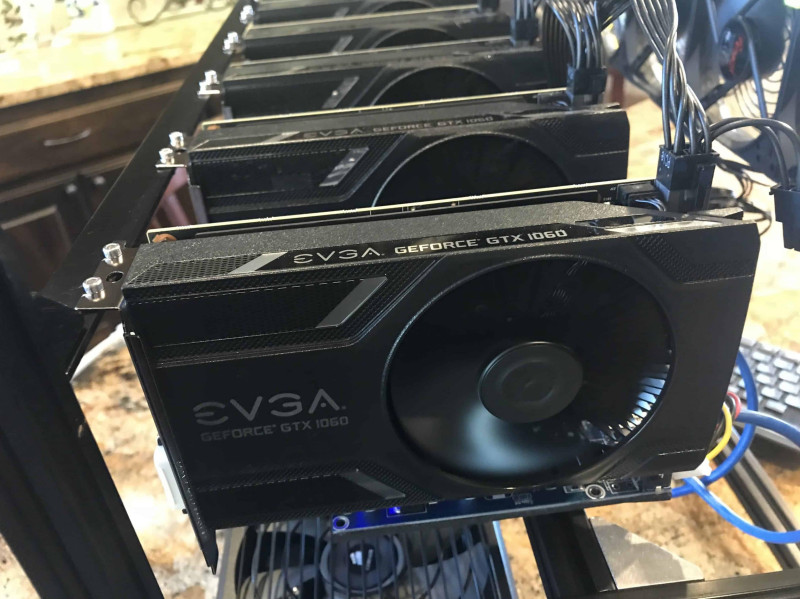
Old comment threads show new miners and biz folks debating cards. Many said the GTX 1060 was king for low price and quick payback. Others pushed the 1080 Ti for big rigs where space and risers matter. One noted cheap cards fail more - so good used buys matter.
The 1080ti is a very solid card, but it only makes sense if you can buy it for around $400 each. - Mike Murray
All these people pushing 1080ti are literal morons when it comes to business skills. You buy the cheapest card with the fastest return. - Andy Glover
Comment points
- GTX 1060 - low cost, ~90-100 W, fast ROI
- GTX 1080 Ti - high hash but price and power hurt
- RX Vega - good on Cryptonight if at MSRP
- Large rigs may favor fewer high cards to cut ancillary cost
The takeaway: your electric rate and card price that day rule the math. I see the same today - the best mining GPUs are the ones that fit your bill.
More Cards Worth Mentioning
Beyond top lists, some cards show up often. The GTX 1070 gave ~30 MH/s at fair power. RX 580 matched that hash at lower price. GTX 1060 cost less and still paid back. RX Vega was fast but drank more power.
Vendor note: ASA Computers sells GPU towers for mining rigs. You can contact them for builds. I mention this only as a source fact, not a push.
Extra cards
- NVIDIA GTX 1070 - ~30 MH/s, higher price
- AMD RX 580 - ~30 MH/s, lower price
- NVIDIA GTX 1060 - budget pick, decent return
- AMD RX Vega - fast but higher power draw
If you want to learn what mining cryptocurrency means beyond GPUs, read up on proof-of-work. It's not just one coin.
Keep Your Eye on the Payback
I'll end with a plain note: always run the numbers for your own power cost and card price. The best mining GPUs aren't the ones with biggest hash on the box. They're the ones that pay back while you still want to use them. Mix in gaming needs if that's your plan.
Watch used card history; avoid cards that lose hash as coin data grows. Balance speed, power, and price, and you'll find a card that works for years. That's the whole game.












Comments on “How to Find the Best Mining GPUs: Balance Hashrate, Power, and Price for Your Setup”
No comments yet. Be the first to share your thoughts.