
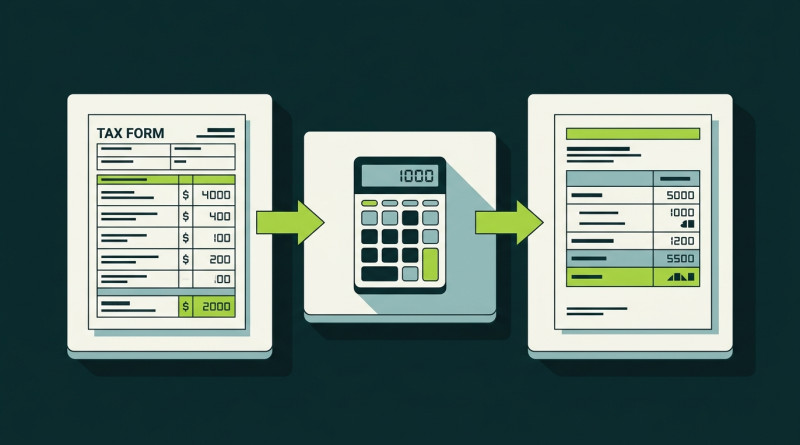
File Coinbase Taxes Like a System
Filing Coinbase taxes doesn’t have to be a scramble. The key is to treat it like a clear, step-by-step system you can repeat each year. You need the right forms, a clean list of trades, and a few simple checks at the end. I keep my own notes in a plain folder so nothing slips through when I sit down to work.
Many people ask how Coinbase taxes work and assume they need a pro to survive. You can do this yourself with patience and a calm system. The key is to gather every trade and reward, then match it to the forms the exchange sends. In the U.S., crypto taxes in the USA follow the same basic logic as stocks - with a few twists for digital coins moving between wallets.
If you also use a crypto com trading platform or any other app, you’ll need those records too. Keep each source separate until you merge them later in your own sheet. This post focuses on Coinbase, but the system applies broadly to any place you trade. I keep a master file named by year so I know exactly where things are.
Watch Out for Tax Season Scams
Tax season brings crooks alongside refunds. They pose as IRS or crypto helpers to scare you into sending money or data. Losing coins to a scam hurts worse than a normal tax bill. The real IRS will never call and demand crypto, gift cards, or quick payment over the phone. Slow down and verify the facts before you move.
Tricks crooks use
- Authority: they pose as government agents with badge numbers and fake caller ID.
- Urgency: they threaten arrest, frozen accounts, or penalties if you wait an hour.
- Opportunity: they promise big refunds or tax relief to lure you into links.
One nasty call claims you owe back taxes and must pay now via Bitcoin ATM or wire. Hang up fast. Another sends a text about a surprise refund with a link to a fake IRS-style site. Don’t click. A fake “crypto audit” asks you to move coins to “verify” a hold. No real agent ever does that - treat it as noise.
U.S. government agencies will never demand payment or threaten arrest over the phone.
If you get such a call, don’t engage or give info. Verify through IRS.gov on your own. Talk to a trusted advisor before any action. Share these signs with family - especially older relatives who get targeted during filing season. Education is the best shield we have against these lies.
Know the Forms Coinbase Sends
Coinbase is a cryptocurrency exchange in the USA that follows tax law and government oversight. It sends you and the IRS certain forms each year based on your activity. The big ones are 1099-MISC, the new 1099-DA, and sometimes 1099-B. Knowing these helps you file Coinbase taxes accurately instead of guessing.
Main forms you might see
- 1099-MISC: for staking, interest, and bonuses over $600 income from Coinbase.
- 1099-DA: new form that reports gross proceeds from crypto sales and disposals.
- 1099-B: rare, only for regulated futures contracts on the platform.
- 1099-K: old form stopped for normal trades after the 2020 tax year.
The 1099-MISC shows income but not trade gains. The 1099-DA reports sale proceeds but may not show cost basis in its first year - so you do the math from your own records. Coinbase Wallet and Base network don’t send forms; you track those yourself. DeFi apps need manual inclusion too, since no broker files for them.
When you look at Coinbase tax information inside your account, you can download a gain/loss report from the Taxes menu. It estimates gains by category but isn’t sent to the IRS. Use it as a helper, not the final word, and always cross-check with your raw export.
How Coinbase Reports to the IRS
When Coinbase sends a form, the IRS checks it against what you file. They run the data through a master file that flags mismatches between their copy and your return. If they see a 1099-MISC but no income on your return, you may get a notice. This is why your own numbers must match the exchange papers as closely as possible.
Notices you might get
- CP2000: proposes extra tax when reported income doesn’t match IRS records.
- Letter 6174 or 6174-A: warns that crypto activity may be missing from return.
- Letter 6173: requires direct response with supporting docs if obligations unmet.
They also use blockchain analytics from outside firms to check trades done off the platform. So if you moved coins out and sold elsewhere, they might still catch it through cross-checks. Holding crypto isn’t a taxable event - but swapping one coin for another is. Simple rule: if you dispose, you report, even with no cash out.
Buying with dollars has no tax at that moment. Only when you sell, trade, or spend does the clock start. Keep that straight and you avoid most trouble with the agency. I mark each type in my sheet with a color so I don’t mix them.
Taxable Events on Coinbase
Not every action on Coinbase gets taxed. Buying with dollars? No tax at that moment. Earning staking rewards? That’s income. Selling or trading? That’s a capital gain or loss. Taxes on crypto staking count as ordinary income the day you receive the coins, at their fair market value in USD.
If you hold more than a year, you get lower long-term rates of 0%, 15%, or 20% based on income. Under a year, you pay ordinary income rates up to the top bracket. Gas fees paid in crypto can be added to cost basis. Keep it simple: track dates and amounts in a plain table from the start.
Remember that reporting crypto staking rewards on taxes is just one part. You also report mined coins, airdrops, and pay for work done. All these are ordinary income at fair value when received - and that value becomes your basis later when you sell the asset.
Step One: Get Your Transaction History
The first step to file Coinbase taxes is to pull your data. Go to the Taxes menu in your account and export a CSV, HTML, or PDF of monthly or yearly activity. It lists buys, sells, conversions, staking rewards, deposits, withdrawals, and transfers. You can link tax software via API too. I do this early to avoid the rush near deadlines.

Keep the file safe on your drive and a backup stick. You need it for all later steps. If you used Coinbase Pro before it shut down, you still need that old data. We cover that in a later part. For now, focus on the main account and make sure the export covers the full year you’re filing.
Validate that every trade shows up by counting sells in the file against your memory. Missing rows cause under-reporting and IRS letters. I often sort by type and scan for gaps. Takes a few minutes, saves headaches later when a notice arrives in the mail.
Step Two: Figure Out Gains and Losses
Now you calculate. For each sale or swap, note asset description, date acquired, date sold, proceeds in USD, and cost basis. Crypto taxes cost basis is simply what you paid plus fees - nothing fancy. Pick a method like FIFO, LIFO, or specific ID and document it before you trade if you want non-default.
Remember crypto-to-crypto trades are disposals. If you swap ETH for SOL, you owe tax on the ETH gain at its value then - even with no cash out. Don’t forget gas fees. They reduce gain when selling or add to basis when buying. Small amounts matter over many trades, so track each one in a column.
If you have hundreds of trades, use software or a summary statement. Write “See attached statement” on Form 8949 and attach a sheet with totals of proceeds, basis, adjustments, and net gain. The IRS allows this for large volumes so you don’t send dozens of pages. I did this once and it kept things neat.
Step Three: Collect Your 1099 Forms
Gather the forms Coinbase sent. The 1099-MISC for income over $600. The 1099-DA for sale proceeds. Even with forms, you must track all taxable events because the forms may not capture off-platform moves. The form may miss basis, so you calculate it from your file with care.
Forms to stack up
- 1099-MISC from Coinbase for staking, interest, and bonuses earned.
- 1099-DA for gross proceeds of each disposal on the platform.
- 1099-B if you traded regulated futures (rare for most users).
- Your own CSV export as the source of truth for every row.
Some advanced products give 1099-B but most users never see it. The key is to reconcile form numbers with your own data line by line. If they differ, trust your full record and note the gap in an adjustment column. The IRS compares both copies, so clean notes help if they ask.
Step Four: Fill Out Form 8949 and Schedule D
This is where you report each trade. Form 8949 lists date, proceeds, basis, and gain for every disposition. Part I is short-term (held one year or less). Part II is long-term (held more than a year). Then Schedule D sums it up and flows to your Form 1040. It sounds dry but it’s just rows of numbers.
The biggest mistake I see is investors who assume their exchange handles everything. Your exchange reports what it knows, but only you have the full picture across all platforms, wallets, and DeFi activity. - Nick Slettengren
You check boxes A–L based on form type and whether basis was reported to the IRS. If you have different box types, use separate pages for each. Never mix on one page or the system may reject it. For many trades, attach a summary statement with totals as we said before. Keep a copy for your files.
Don’t skip this part: never put zero basis if you don’t know. That makes you owe tax on the full sale price. Rebuild basis from bank or exchange records, blockchain data, or historic price lookups. If stuck, ask a crypto tax pro before filing so you don’t guess wrong.
Step Five: Report Ordinary Income
Staking, mining, airdrops, pay for work - all ordinary income. Report on Schedule 1 line 8z for individuals or business forms if earned through a trade. reporting crypto staking rewards on taxes means matching the 1099-MISC amount if you got one from the exchange.
Even if under $600, you still report all income. The IRS looks at total, not just forms. Keep proof of fair market value when received, because that becomes your basis later when you sell the coin. A simple screenshot of price that day works as backup in an audit.
If you got a 1099-MISC, make sure the amount you report matches the form exactly. Small mismatches trigger letters that waste time. I double-check this before I sign the return, and I store both the form and my calc in the same folder.
Using Crypto Tax Software
Tools like CoinTracker pull data from many exchanges and wallets. They generate Form 8949 for you and flag long vs short holds automatically. They also help with tax-loss harvesting by spotting unrealized losses. Does TurboTax do crypto ? Yes, higher tiers import crypto tax software files directly and fill the forms for you.
You can link Coinbase with one click in some tools. This saves time and cuts errors from manual entry. For large portfolios spanning DeFi, software is worth the cost. It shows net deposits and ROI too - things exchanges don’t give you in one view, which helps plan next year.
Some tools create a free report for up to a few thousand transactions. That covers most regular users. I suggest trying one if your CSV looks messy or you swapped on multiple chains. The export to PDF or CSV is clean and ready to attach if needed.
Download Old Coinbase Pro History
Coinbase Pro shut down on December 1, 2023. All users moved to Advanced Trade. But you may need old Pro data for past trades on your return. Log in, go to profile, choose Statements, then toggle to Coinbase Pro to see the legacy history.

Export as CSV or PDF. Then import to tax tools or keep for manual. Validate all rows are present - every sell and reward. Archive it safely because the IRS can ask later. A clean backup is a calm mind when years pass and you’ve forgotten a trade.
If you traded margin or specific portfolios, set the date range to the year you need. The report covers buys, sells, deposits, and withdrawals for the period. Generate a custom report on the right side of the page, pick the account types, and press download. It’s straightforward once you find the menu.
Common Mistakes to Avoid
Easy to mess up
- Forgetting crypto-to-crypto trades: swapping coins is a taxable disposal event.
- Wrong holding period: exactly 365 days is still short-term; you need more than a year.
- Ignoring gas fees: they can be added to basis or cut proceeds when selling.
- Missing the checkbox: each 8949 page needs box A–L marked correctly.
- Not reconciling 1099-DA: differences bring automated notices from the IRS.
Don’t skip this part. A 365-day hold is still short-term; you need at least 366 days for long-term rates. And never mix box types on one 8949 page. The IRS computer flags that quickly and sends a fix request that slows you down.
If you cannot locate original purchase records, do not assume a $0 basis. Reconstruct basis using exchange records, bank statements, blockchain data, or historic price lookups.
Another slip is thinking the exchange form is complete. It only knows what happened on its platform. Your full picture includes wallets and other apps. Pull it all together before filing, or you may find a letter in your mailbox next season that ruins the calm.
Coinbase 1099-DA Report Confusion
The 1099-DA from Coinbase can look weird. It labels subtotals as totals and lacks a single bottom line for filing. Coinbase tax center tries to help but the form layout is messy and hard to read. You must verify against your CSV to know the real gain.

In the first year of the form, only gross proceeds are sent to the IRS, not basis. So the numbers may look huge next to your gain. Calculate your own gain using full transactions across all platforms. If a notice comes, respond fast with records and a short note explaining the difference.
Stockbrokers solved this with consolidated forms that show clear totals first. Coinbase chose a confusing report despite being free to format it. That’s on them, but you can rise above it with your own sheet that totals everything once. I make a one-line sum at the top so I never lose the forest for the trees.
Stay Safe and Keep Records
File early to cut identity theft risk. Use strong passwords and MFA on all crypto accounts. Store docs safely both digitally and on paper. Share scam warnings with family. Education is your best defense when filing season opens, and it costs nothing but a little time.
My keep-safe tips
- File early to reduce the window where crooks can use your info.
- Use strong unique passwords for financial and crypto logins.
- Enable multi-factor auth wherever the platform offers it.
- Store sensitive docs securely - physical copy and encrypted drive.
- Pause before sending funds if fear or urgency appears in a message.
If you suspect fraud, report to TIGTA and IdentityTheft.gov. Tell your crypto platform right away. And keep your audit trail from tax software ready. That’s how I file Coinbase taxes calmly year after year without losing sleep over letters.
The IRS imposed reporting requirements, but Coinbase chose a confusing layout that hampers compliance. - Clinton Donnelly














Comments on “File Coinbase Taxes: A Repeatable System to Stay Accurate”
No comments yet. Be the first to share your thoughts.